



Church Lighting Solutions
Plan lighting for worship, clear faces and livestreams. Separate the lectern, platform and background, then check camera results and volunteer controls.


Decision table
Choose Fixtures for Church Lighting Tasks
Start with clear light on speakers, then compare fixtures for background color and optional effects. Check coverage, noise and camera appearance before choosing.
| Lighting type | Role in a service | Check before choosing |
|---|---|---|
| LED PAR / wash | Background or area color | Coverage, dimming and separation from faces |
| Moving wash | Adjustable background coverage | Noise, movement and saved scenes |
| Moving beam | Optional aerial accents during music | Glare, haze rules and operator control |
| Profile spotlight | Controlled light on a lectern or position | Throw distance, framing and camera test |
| Strobe | Optional effect, not a speaking-scene requirement | Venue policy and audience sensitivity |
| Pixel / bar | Backdrop or surface color | Viewing angle and camera testing |
| Blinder | Optional accent, not general front light | Audience glare and intensity limits |
-
LED Fixed Focus LEKO 250W/350W Profile Spotlight - RGBWAUV/RGBLAC/RGBW/RGBL/Warm+Cool White | Four-leaf Manual Shutters
Regular price From $274.70 USDRegular priceUnit price per$335.00 USDSale price From $274.70 USD Save$60.30Sale -
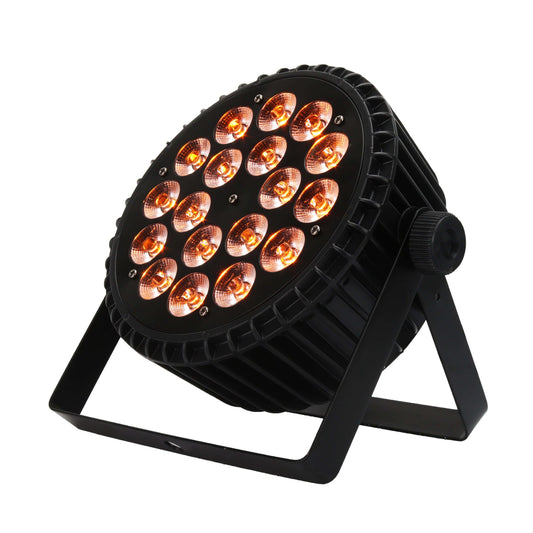
SHEHDS 18x18W Aluminum Alloy LED Flat Par DMX512 DJ Par Cans Wash Light
Regular price From $81.18 USDRegular priceUnit price per$99.00 USDSale price From $81.18 USD Save$17.82Sale -
SHEHDS LED Beam 8x12W RGBW Moving Head Light For Wedding DJ Show
Regular price From $151.70 USDRegular priceUnit price per$185.00 USDSale price From $151.70 USD Save$33.30Sale -
LED Optical Zoom LEKO 250W/350W LED RGBWAUV/RGBLAC/RGBW/RGBL/Warm+Cool White Profile Spotlight Four-leaf Manual Shutters Barrier Light
Regular price From $373.10 USDRegular priceUnit price per$455.00 USDSale price From $373.10 USD Save$81.90Sale




Watch some videos for setup inspiration
Fast Stage Light Delivery From 20+ Warehouses

UK-Warwickshire

Russia-Moscow

South Korea - Incheon

USA -TX & CA& N

France - Paris

Spain -Madrid

Germany - Hessen

Czech Republic - Prague
Plan Church Lighting for Services and Livestreams

Church Lighting FAQs
What church lighting should we upgrade first?
Prioritize clear and consistent light on speakers and worship leaders. Check both the congregation’s view and the livestream image before adding background effects. The most useful first upgrade is the one that addresses a demonstrated visibility problem.
How can we light the lectern without distracting the congregation?
Keep the speaking position consistently visible and check glare from congregation seats and cameras. Use a restrained saved scene during readings; confirm coverage at the speaker’s normal positions before the service.
What should we test for church livestream lighting?
Test the actual cameras at the frame rates and shutter settings used during services, including common fixture dimming levels. Check faces, exposure, banding or flicker and changes in color between scenes. A product claim alone is not proof of compatibility with every camera setup.
Are moving head lights necessary for worship?
No. Many services can be supported by well-planned front light and background color without motorized effects. Moving heads are useful when their repositioning or effects serve a specific need and the team can control them appropriately.
How can volunteers operate church lighting reliably?
Use clearly named, saved scenes and a documented patch and control routine. Train operators on the changes needed during a normal service and how to recover the intended scene. Avoid adding programming complexity that the team cannot maintain.
How should we assess fixture noise in a church?
Evaluate noise in the actual quiet-service conditions, from seating and microphone positions. Check the exact model’s fan behavior and any supported operating modes. Do not assume an LED source or a low-power setting guarantees silent operation.